---
format:
html:
toc: false
page-layout: custom
---
::: whitebox
::: {style="padding-left: 100px; padding-right: 100px; display: inline-block;"}
::: {layout-ncol="2"}
::: {style="text-align: left;"}
# R interface to Apache Spark ™
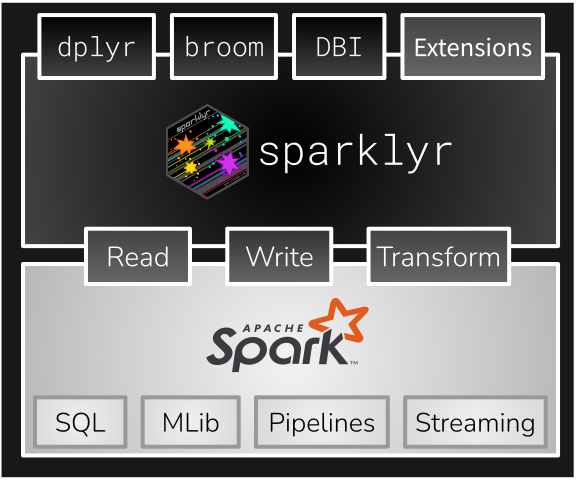
- Interact with Spark using familiar R interfaces, such as [`dplyr`](/guides/dplyr.qmd),
`broom`, and [`DBI`](/get-started/prepare-data.qmd#using-sql).
- Gain access to Spark's distributed [Machine Learning](/guides/mlib.qmd) libraries, [Structure Streaming](/guides/streaming.qmd),and [ML Pipelines](/guides/pipelines.qmd) from R.
- Extend your toolbox by adding [XGBoost](/packages/sparkxgb/index.md), [MLeap](/packages/mleap/index.md), [H2O](/guides/h2o.qmd) and [Graphframes](/packages/graphframes/index.md) to your
Spark plus R analysis.
- Connect R wherever Spark runs: [Databricks, Snowflake, YARN (Hadoop),
Kubernetes, Stand Alone, Spark Connect, and Sail](/get-started/index.qmd#clusters).
- Run [distributed R code](/guides/distributed-r.qmd) inside Spark
:::
::: {style="text-align: center;"}
{style="align: right;" width="500"}
:::
:::
:::
:::
::: mainbox
::: {style="padding-left: 100px; padding-right: 100px; display: inline-block;"}
::: {layout-ncol="3"}
::: {style="text-align: center;"}
### [Get Started](/get-started/index.qmd)
**Welcome new users!** Start here to learn how to install and use `sparklyr`.
:::
::: {style="text-align: center;"}
### [Guides](/guides/index.qmd)
"How-to" articles to help you learn how to do things such as: connect AWS S3 buckets, handling Streaming Data, create ML Pipelines and others.
:::
::: {style="text-align: center;"}
### [Deployment](/deployment/index.qmd)
Articles on Spark environments. Including AWS EMR, Databricks, and Standalone clusters.\
\
:::
:::
:::
:::
